
Understanding the Core Functions of a Computer Memory Unit
In the architecture of a modern computing system, the memory unit serves as the essential warehouse for data and instructions. Without it, the processor would have no place to store the information it needs to execute tasks. Essentially, the memory unit is responsible for holding data both temporarily for immediate processing and permanently for long-term retrieval. When an engineer designs a system, he must carefully balance the speed and capacity of these units to ensure the machine operates at its peak potential.
Every operation a user performs, from typing a document to rendering a complex 3D model, relies on the seamless movement of data between the processor and the memory unit. By understanding how these components interact, a technician can better diagnose performance bottlenecks. For instance, when a user notices his system lagging, he often wonders why his computer is so slow during intensive tasks, which is frequently a result of the memory unit reaching its maximum capacity.
Primary vs. Secondary Memory: The Critical Distinction
Computer memory is generally categorized into two main types: primary and secondary. Each plays a distinct role in how a machine handles information.
Primary Memory (Main Memory)
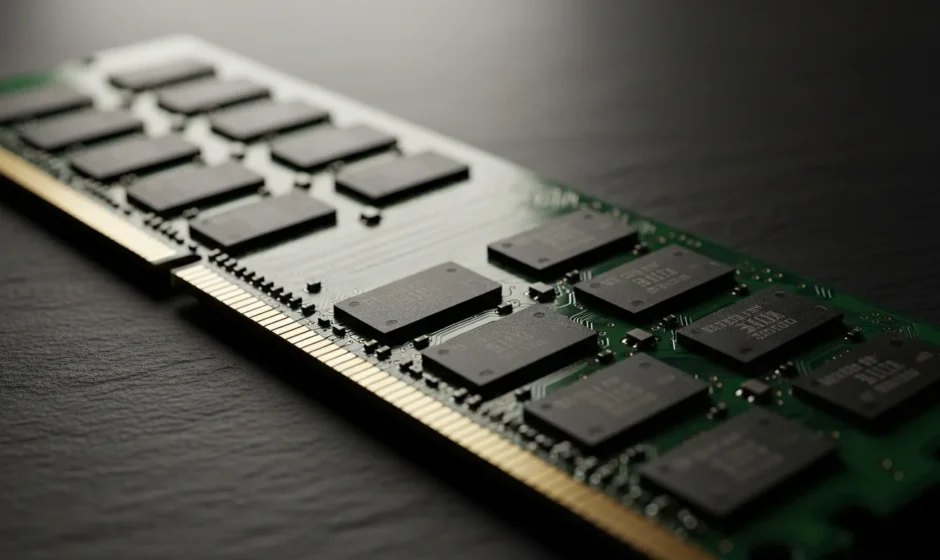
Primary memory is the area that the CPU can access directly with minimal delay. This includes Random Access Memory (RAM) and Read-Only Memory (ROM). RAM is volatile, meaning it loses its data when the power is turned off. It is the workspace where the computer keeps the operating system and active applications. ROM, on the other hand, is non-volatile and contains the essential instructions needed to boot the computer.
Secondary Memory (Auxiliary Storage)
Secondary memory refers to external storage devices like Hard Disk Drives (HDDs), Solid State Drives (SSDs), and flash drives. Unlike primary memory, secondary memory is non-volatile and has a much larger capacity. While it is slower to access than RAM, it is where the user saves his files, photos, and software for long-term use. A system administrator must know how to manage all available system resources to ensure that the transition between primary and secondary storage remains fluid.
The Hierarchy of Memory Units and Measurements
Data within a memory unit is stored in binary form, consisting of 0s and 1s. To quantify this data, we use specific units of measurement. Understanding these units is vital for anyone looking to upgrade his hardware or manage data-heavy projects.
- Bit: The smallest unit of data (0 or 1).
- Byte: A group of 8 bits, typically representing a single character.
- Kilobyte (KB): Approximately 1,000 bytes.
- Megabyte (MB): Approximately 1,000 KB.
- Gigabyte (GB): Approximately 1,000 MB; the standard for modern RAM.
- Terabyte (TB): Approximately 1,000 GB; the standard for modern high-capacity storage.
As we move into 2026, the demand for higher memory density continues to grow. High-performance computing now frequently utilizes Petabytes (PB) for massive data centers and AI training models. The engineer must stay ahead of these trends to ensure he provides the most efficient solutions for his clients.
How Memory Capacity Influences Modern Computing
The capacity of a computer memory unit directly dictates the complexity of the tasks a machine can handle simultaneously. If a user has a low amount of RAM, his computer will resort to using a portion of the hard drive as “virtual memory,” which is significantly slower. This can lead to system crashes and sluggish response times.
In the professional world, particularly for those involved in video editing or software development, having an abundance of memory is not a luxury—it is a necessity. A developer ensures he has enough overhead to run virtual machines and compilers without the system stuttering. Modern operating systems are also becoming more memory-intensive, requiring hardware that can keep up with sophisticated background processes and security protocols.
Frequently Asked Questions
What is the primary purpose of a computer memory unit?
The primary purpose is to store data and instructions that the CPU needs to perform tasks. It acts as a bridge between the user’s input and the processor’s execution, holding information both temporarily and permanently.
What is the difference between RAM and ROM?
RAM is volatile memory used for temporary data storage while the computer is running. ROM is non-volatile memory that contains permanent instructions, such as the BIOS, which are necessary for the computer to start up.
Why is SSD memory faster than HDD memory?
SSDs use flash memory and have no moving parts, allowing for near-instantaneous data access. HDDs rely on spinning magnetic platters and a physical read/write head, which introduces mechanical latency.
How much memory does a standard computer need in 2026?
For basic office tasks, 16GB of RAM is generally sufficient. However, for gaming, professional creative work, or AI development, 32GB or even 64GB is recommended to ensure the user does not experience performance dips.